





Description
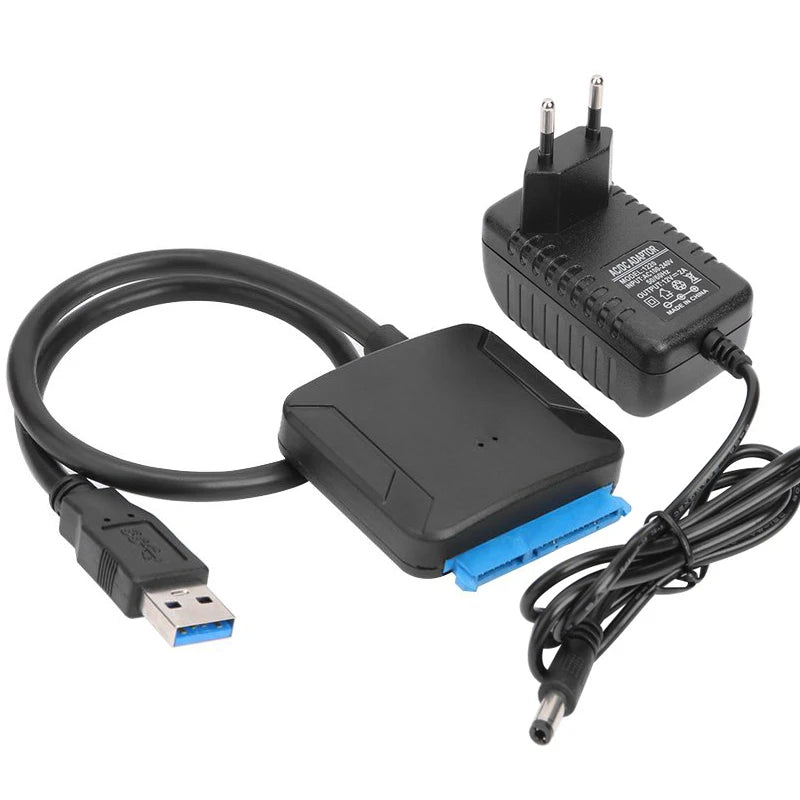
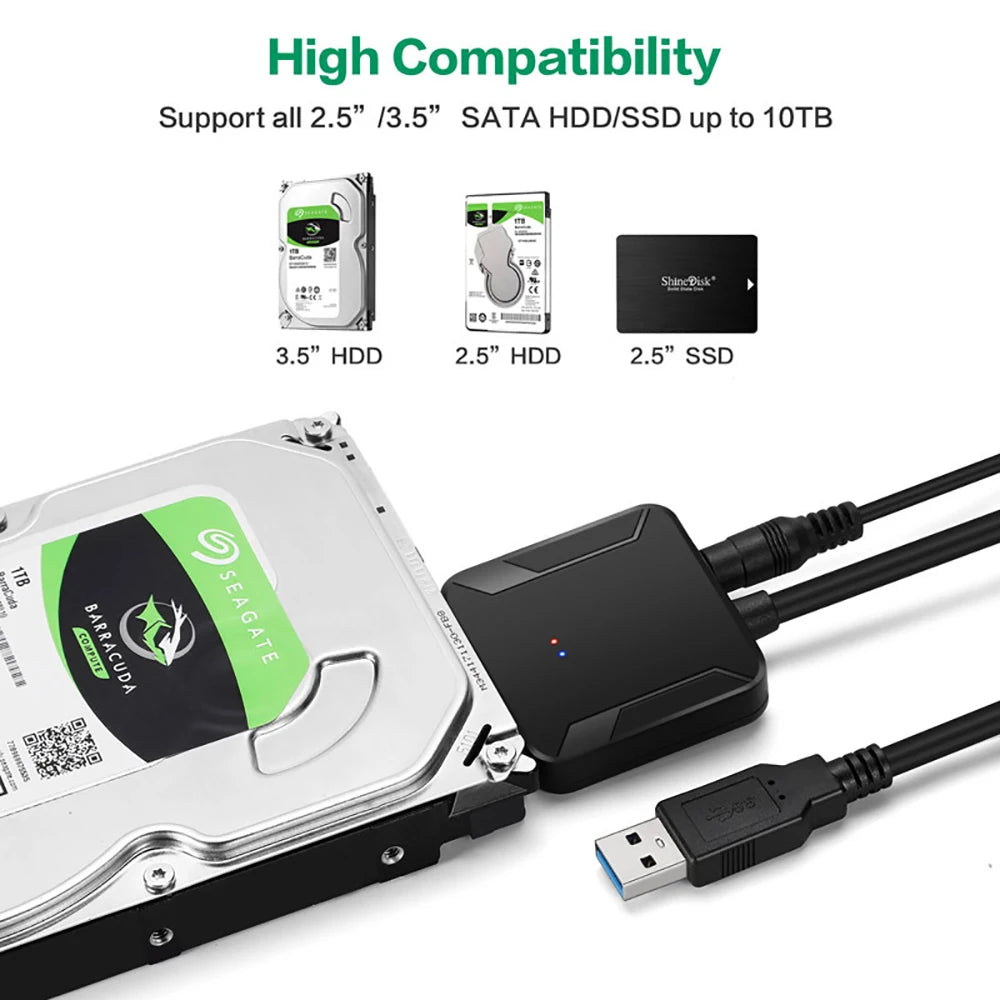
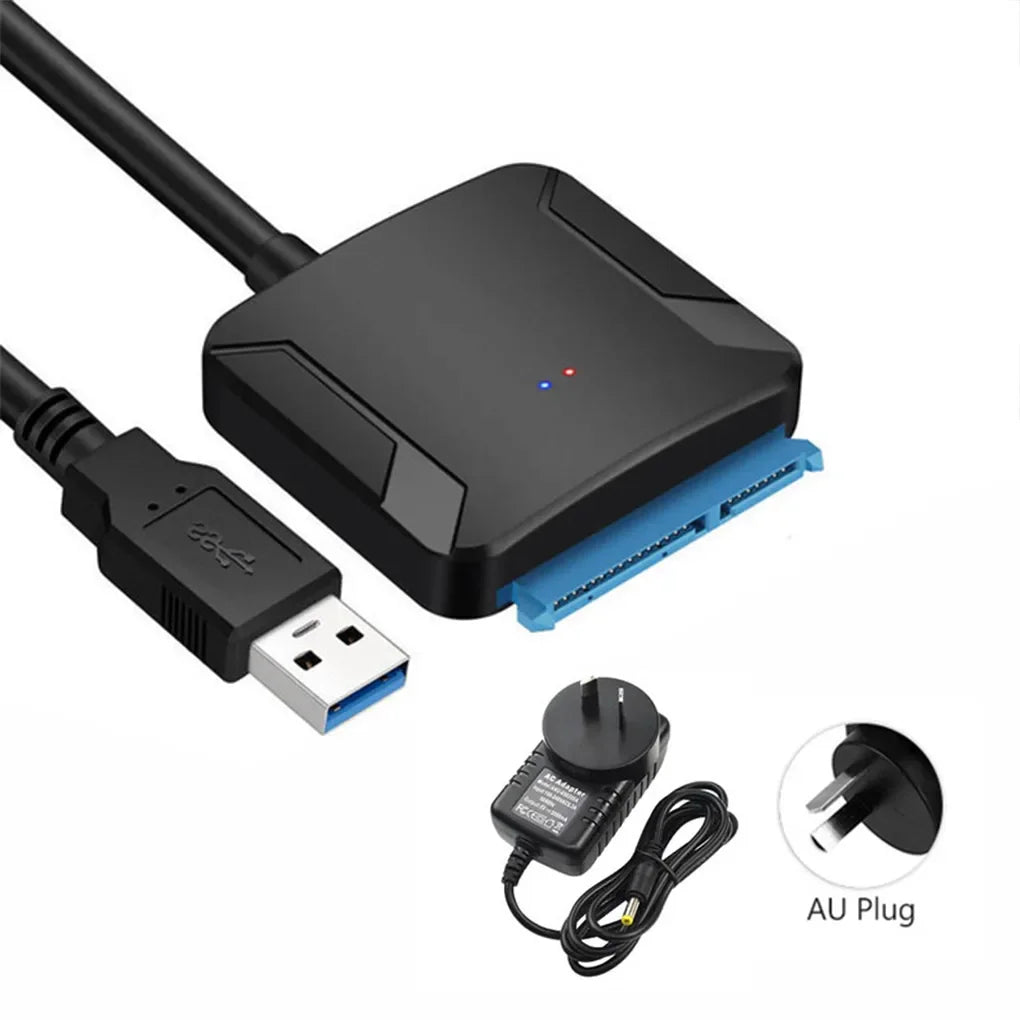
Effortlessly connect and power 2.5 in and 3.5 in SATA drives to any computer via USB 3.0. This compact SATA to USB adapter supports UASP for faster transfers, backward compatibility with USB 2.0/1.1, and includes a 12V/2A power option for high‑power 3.5 in drives—ideal for backups, drive cloning, and quick data recovery.
Specifications:
- Type: SATA to USB 3.0 Adapter Cable
- Supported Drive Sizes: 2.5 in (63.5 mm) SSD/HDD and 3.5 in (88.9 mm) SATA HDD/SSD
- Interface: USB 3.0 (SATA III)
- Max Transfer Rate: Up to 5 Gbps (USB 3.0)
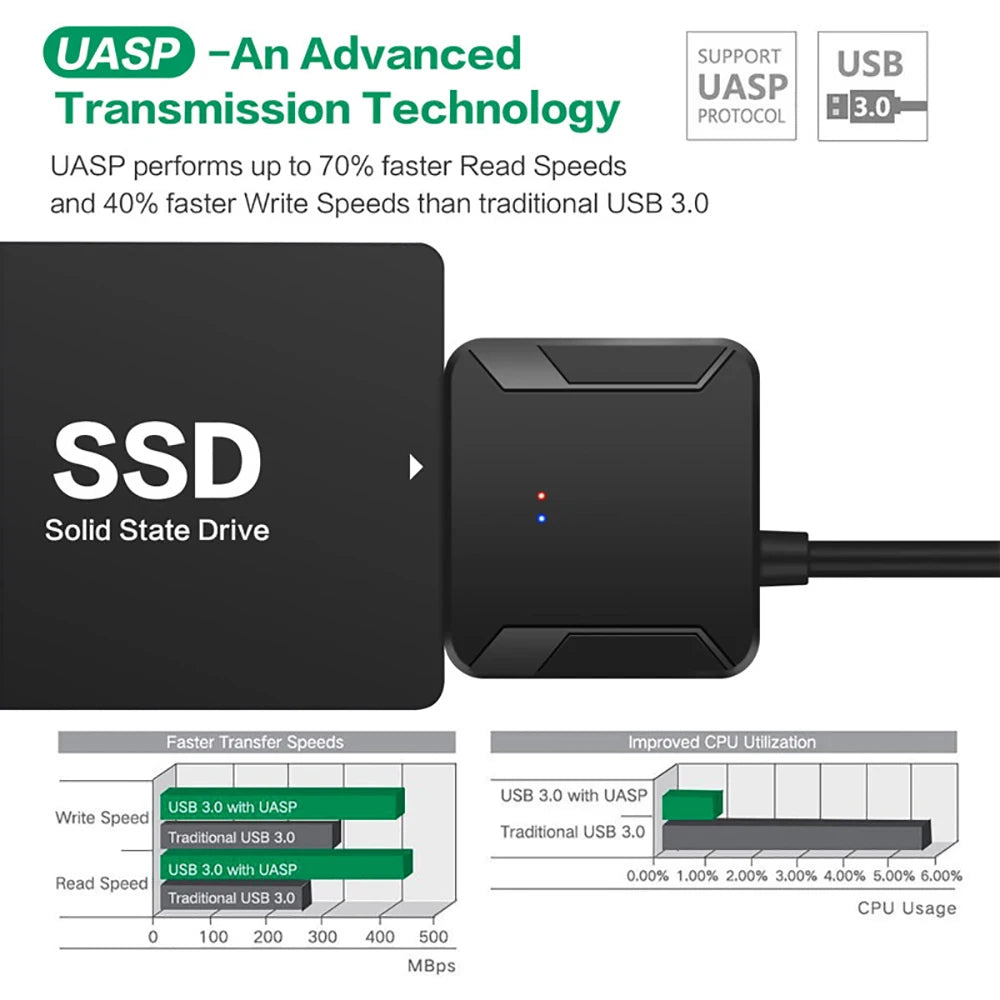
- UASP Support: Yes (improved transfer speeds and reduced CPU usage)
- Backward Compatibility: USB 2.0 / 1.1 compatible
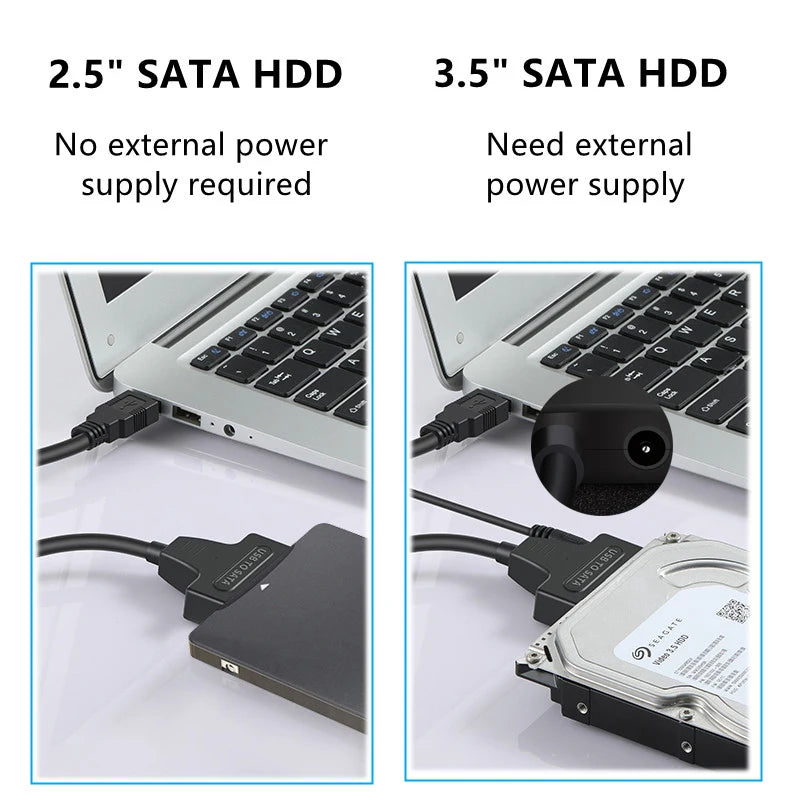
- Power Requirement: No extra power required for 2.5 in drives; 12V / 2A AC/DC power adapter required for 3.5 in drives
- Cable Length: 40 cm / 15.75 inches
- Color: Black
- Supported OS: Windows 98/2000/XP/Vista/7, Mac OS 9.x/10.x, Linux
- Features: Plug and Play, Hot Swapping, UASP fast transfer support
- Compatibility Note: IDE devices are not supported
- Package Contents: 1 x USB 3.0 to SATA Converter Adapter; AC/DC 12V/2A power adapter and regional plug included depending on version (US/EU/UK/AU)
- Certification: None
Product Notes: Use the included 12V/2A adapter when connecting 3.5 in high‑power drives. 2.5 in drives and most SSDs draw power from the USB port and do not require the external adapter.
Safety Notes:
Use only the supplied or a compatible 12V/2A AC/DC adapter. Unplug the adapter before connecting or removing drives. Do not use the adapter or cable if the cable, connectors, or power supply are damaged. Keep the adapter and cable away from moisture and heat sources. Keep out of reach of children.
#DataTransfer #SATAtoUSB #FanzyMarket